
THE GRADING PLUGIN FOR LEARNDASH
Gradeflow is a WordPress grading plugin that turns your LearnDash site into a real grading portal — a spreadsheet-style gradebook, one-click scoring, bulk grading, a rubric builder, and student feedback that actually gets read. No more digging through the WordPress admin one submission at a time.
Works with WordPress 6.0+ and LearnDash 4.0+ · Instant download · Automatic updates
If you teach with LearnDash, you know the routine: open a submission, read it, scroll, approve, click back, find the next one, repeat. Fifty times. Gradeflow replaces that with a full-screen grading portal that looks and works like the gradebook software educators already use — so there's nothing new to learn, just hours to get back.
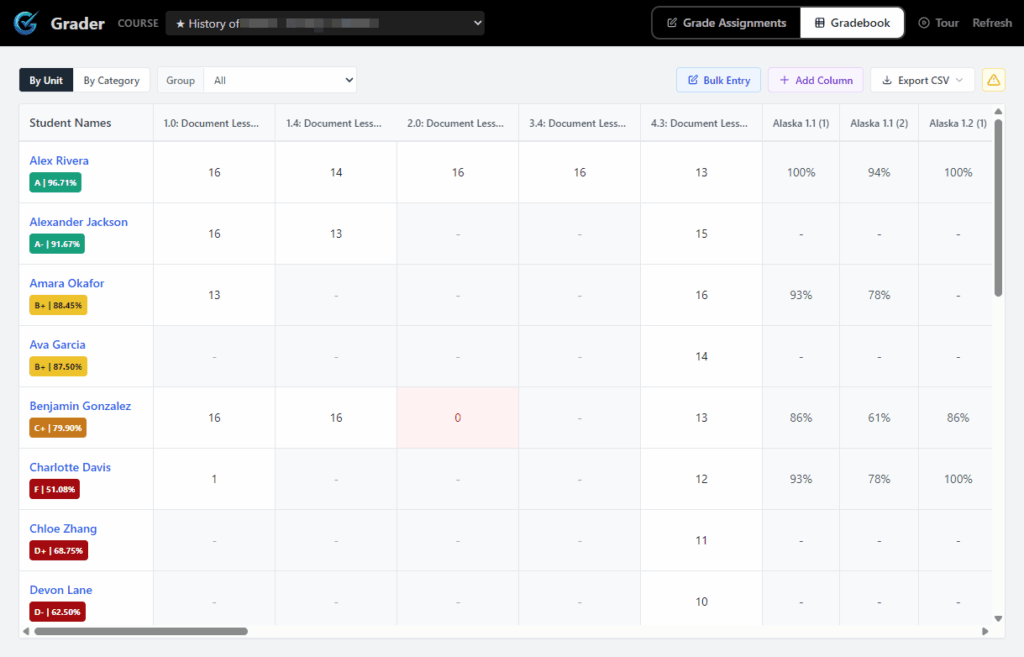
Get an aerial view of how your students are progressing through the courses. Leave feedback, grade assignments and export results.
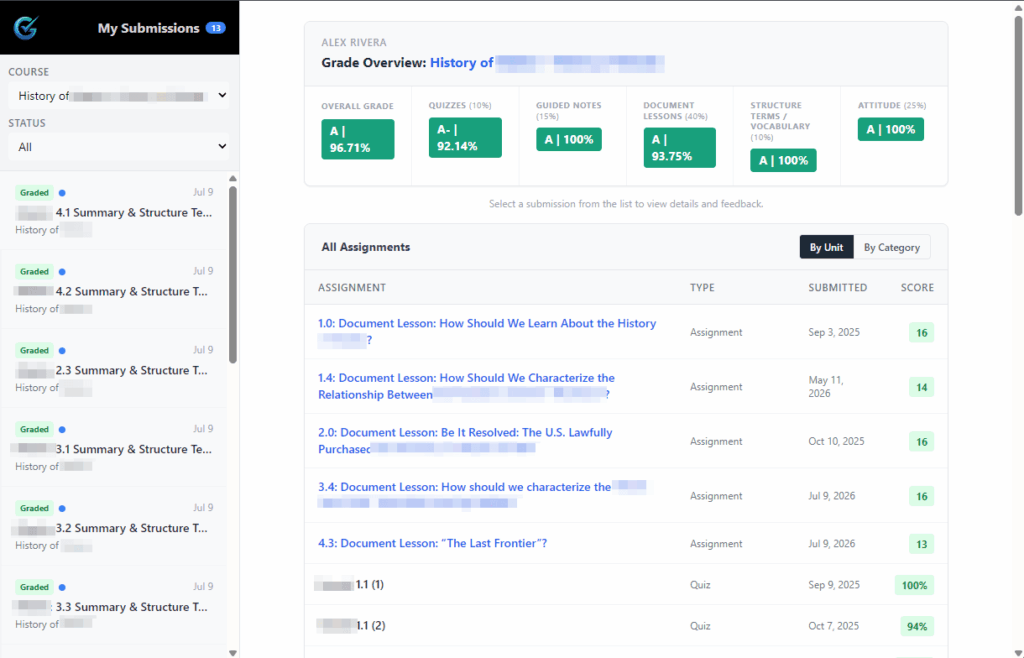
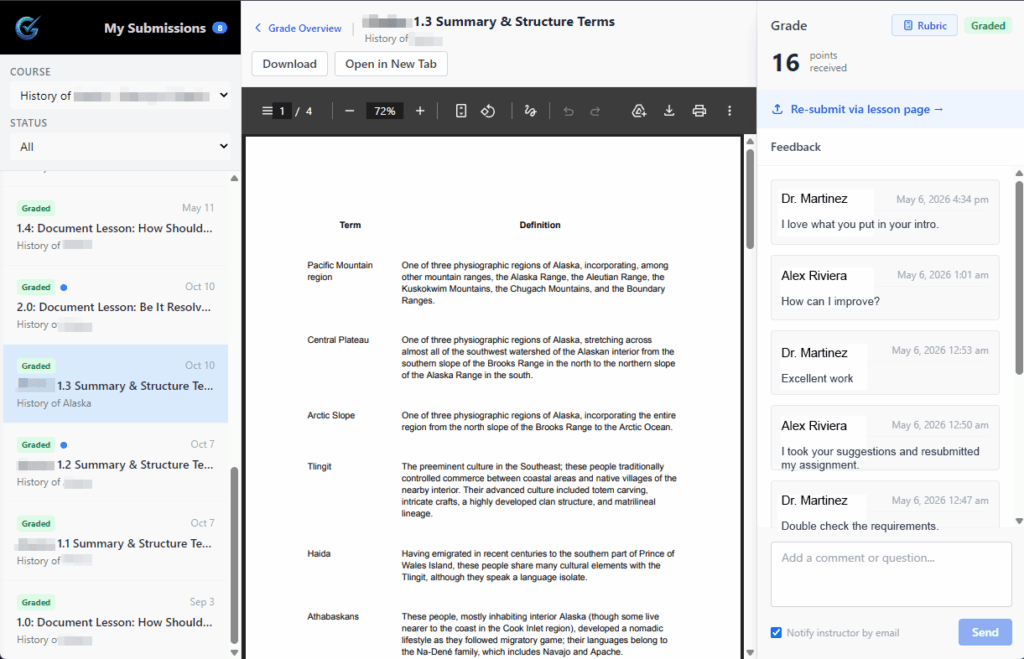
Students also get a clear picture of their standing in the class. See a list of courses they're enrolled in, and assignments to complete. Submit assignments and view feedback all in the same place.
One annual license. Every feature included — nothing is paywalled behind tiers.
A spreadsheet-style view of every student and every assignment in a course — just like the gradebooks teachers already know. See what's pending, what's graded, and who's falling behind at a glance.
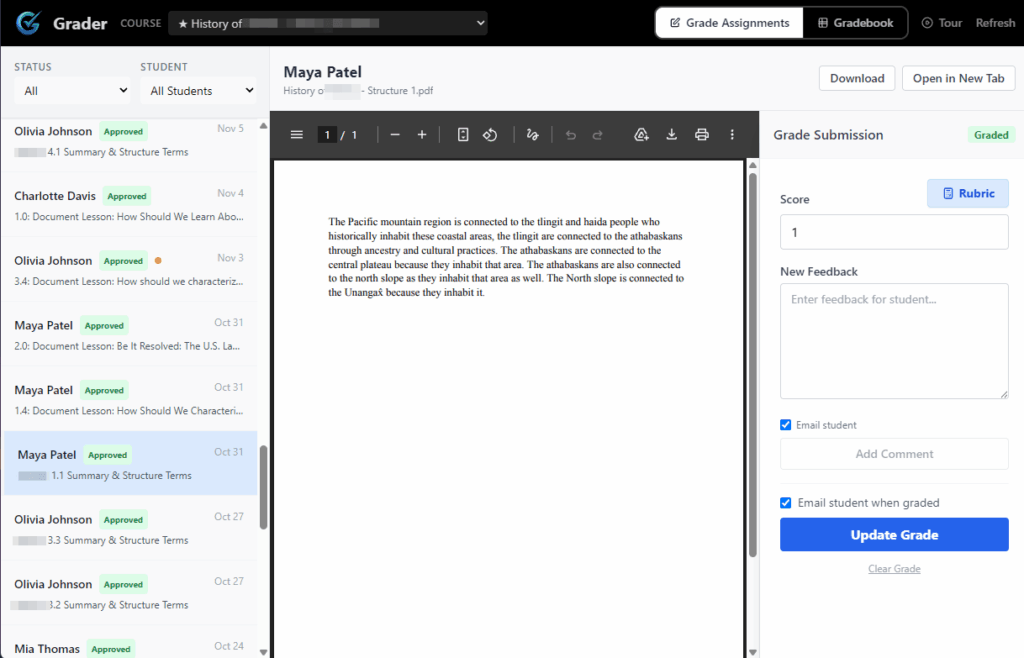
Click any cell and grade right there — full submission preview, score entry, and feedback in one modal. No page loads, no hunting through the admin, no losing your place.
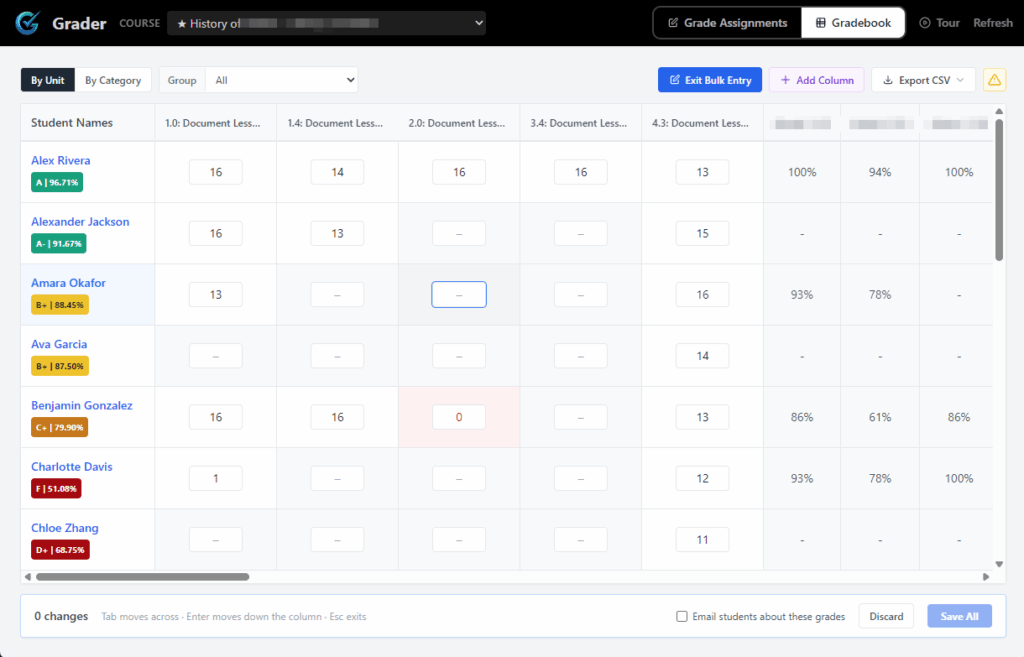
Bulk grade LearnDash assignments: select a stack of pending submissions and apply a score and a feedback template to all of them at once. What used to take an afternoon takes a minute.
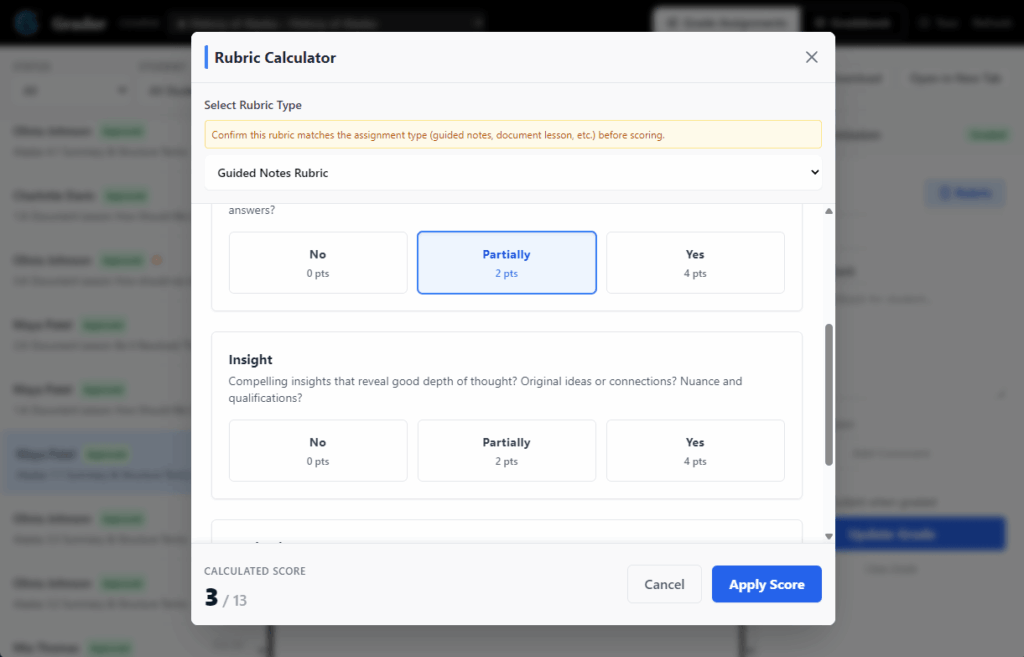
Build your own rubric types with criteria, scoring levels, and max scores. Attach reference documents, set auto-detect keywords, and let the built-in rubric calculator do the math while you grade.
Presentations, participation, paper worksheets — grade work that was never submitted digitally. Add custom assignment columns to any course and they flow straight into the gradebook and student report cards.
Every assignment carries its own feedback thread. When you grade, students get an email with a deep link straight to that assignment in their report card — no "where do I see my grade?" messages.
Gradeflow isn't just for the grader. Students get their own portal — a clean LearnDash report card at /report-card/ showing everything they've submitted and everything you've said about it.
Gradeflow lives alongside LearnDash instead of fighting it — and it's built to be fast, brandable, and yours.
$59
per year · one site
If your license lapses, Gradeflow keeps working and your grading data stays put — you only lose updates and support. 30-day money-back guarantee.
Gradeflow is a grading plugin for LearnDash, the WordPress LMS. It adds a full-screen grading portal to your site where instructors review assignment submissions, enter scores, apply rubrics, and send feedback — plus a gradebook view of every student and assignment in a course, and a student report card where learners track their own grades and read instructor comments.
Unlike grading through the standard WordPress admin, Gradeflow is designed around the workflows teachers already know from tools like PowerSchool, Infinite Campus, and Google Classroom: a spreadsheet-style gradebook, click-to-grade cells, bulk grading, and reusable rubrics. It works with LearnDash 4.0+, syncs automatically with the official LearnDash Gradebook add-on, supports offline and custom assignments, exports your gradebook to CSV, and can be fully white-labeled for your school, academy, or course business.
LearnDash offers a Gradebook add-on for displaying grades, but the grading itself still happens one submission at a time in the WordPress admin. Gradeflow adds the missing grading workflow — a spreadsheet-style gradebook, quick grading, bulk grading, and rubrics — and automatically syncs the grades you enter to the LearnDash Gradebook add-on.
Yes — with Gradeflow you can select multiple pending LearnDash assignments in the gradebook and apply a score and a feedback template to all of them in one action. Students are notified by email as usual.
A WordPress site (6.0 or newer) running LearnDash 4.0 or newer, on PHP 7.4+. Upload the plugin, activate it, and your grading portal is live at /grader/ with the student report card at /report-card/.
No. Gradeflow works with LearnDash's own assignments and grading data, and it syncs with the official LearnDash Gradebook add-on — grades you enter in Gradeflow show up there too.
The plugin keeps working and all of your grades, feedback, and rubrics stay exactly where they are. An active license is only required for automatic updates and support — features are never locked.
Yes. Gradeflow is white-label ready — the product name and accent color can be overridden with a single line of configuration, so your teachers and students see your brand, not ours.
Yes. As of version 1.4, both the grading interface and the student report card are fully mobile-responsive.
Join the LearnDash educators who've turned grading night into grading hour.